Introduction to Azure Active Directory
What is Azure Active Directory?
Azure Active Directory (Azure AD) is a cloud-based identity and access management service. Azure AD enables your employees access external resources, such as Microsoft 365, the Azure portal, and thousands of other SaaS applications.
Who uses Azure AD?
- IT admins use Azure AD to control access to apps and app resources, based on business requirements.
- App developers can use Azure AD as a standards-based authentication provider that helps them add single sign-on (SSO) to apps that works with a user's existing credentials.
- Microsoft 365, Office 365, Azure, or Dynamics CRM Online subscribers already use Azure AD as every Microsoft 365, Office 365, Azure, and Dynamics CRM Online tenant is automatically an Azure AD tenant.
What are the Azure AD licenses?
Microsoft Online business services, such as Microsoft 365 or Microsoft Azure, use Azure AD for sign-in activities and to help protect your identities. If you subscribe to any Microsoft Online business service, you automatically get access to Azure AD free.
To enhance your Azure AD implementation, you can also add paid features by upgrading to Azure Active Directory Premium P1 or Premium P2 licenses. Azure AD paid licenses are built on top of your existing free directory.
-
Azure Active Directory Free: Provides user and group management, on-premises directory synchronization, basic reports, self-service password change for cloud users, and single sign-on across Azure, Microsoft 365, and many popular SaaS apps.
-
Azure Active Directory Premium P1: In addition to the Free features, P1 also lets your hybrid users access both on-premises and cloud resources. It also supports advanced administration, such as dynamic groups, self-service group management, Microsoft Identity Manager, and cloud write-back capabilities, which allow self-service password reset for your on-premises users.
-
Azure Active Directory Premium P2: In addition to the Free and P1 features, P2 also offers Azure Active Directory Identity Protection to help provide risk-based Conditional Access to your apps and critical company data and Privileged Identity Management to help discover, restrict, and monitor administrators and their access to resources and to provide just-in-time access when needed.
-
"Pay as you go" feature licenses. You can also get licenses for features such as, Azure Active Directory Business-to-Customer (B2C). B2C can help you provide identity and access management solutions for your customer-facing apps.
Create a new tenant in Azure Active Directory
-
Sign in to your organization's Azure portal.
-
From the Azure portal menu, select Azure Active Directory.
-
On the overview page, select Manage tenants
-
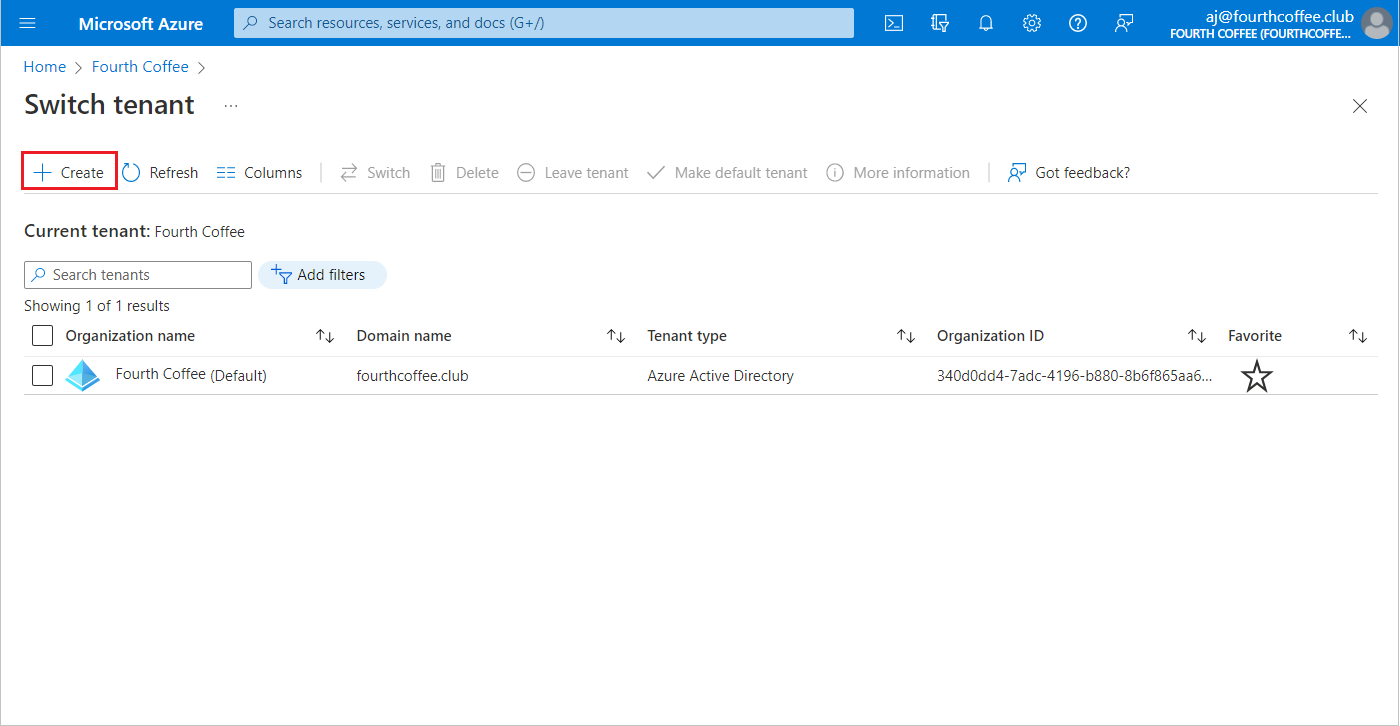
Select Create.
-
On the Basics tab, select the type of tenant you want to create, either Azure Active Directory or Azure Active Directory (B2C).
-
Select Next: Configuration to move on to the Configuration tab.
-
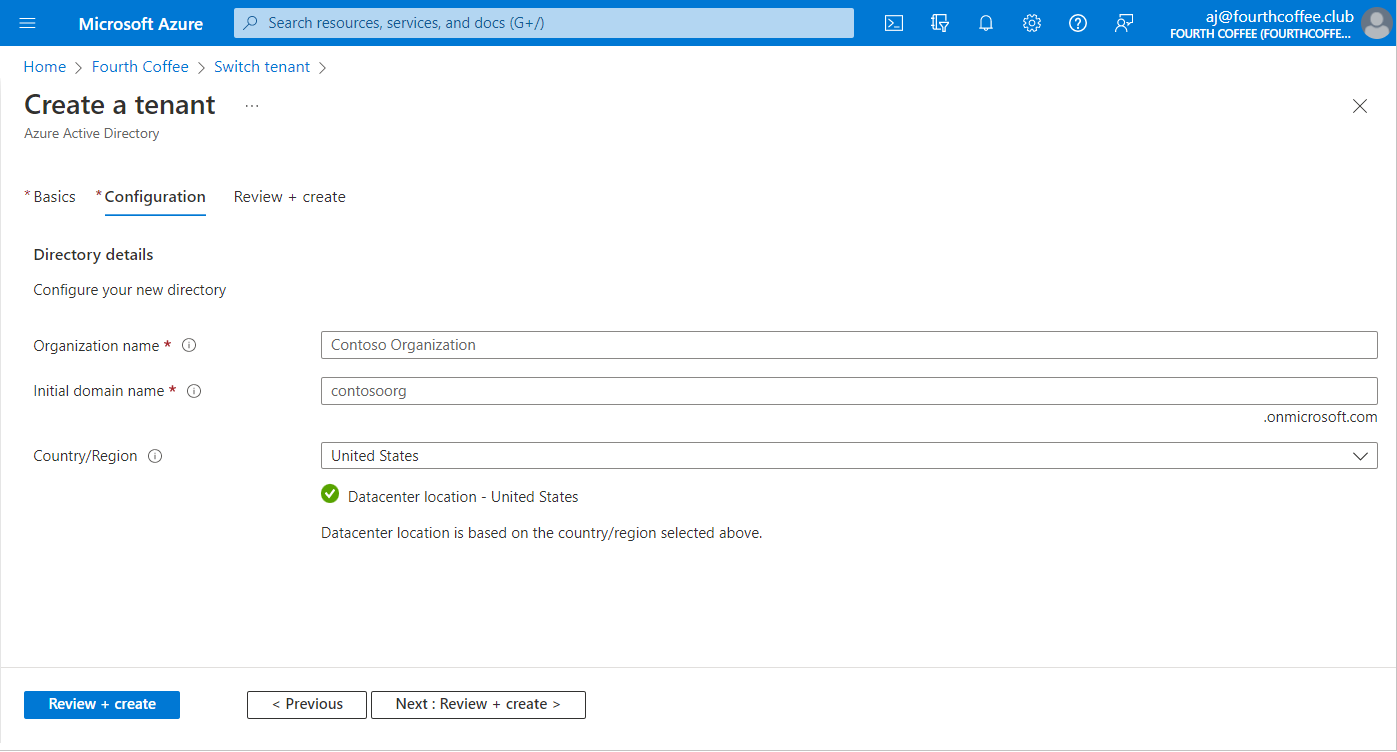
On the Configuration tab, enter the following information:
-
Type your desired Organization name (for example Contoso Organization) into the Organization name box.
-
Type your desired Initial domain name (for example Contosoorg) into the Initial domain name box.
-
Select your desired Country/Region or leave the United States option in the Country or region box.
-
Select Next: Review + Create. Review the information you entered and if the information is correct, select create.
Your new tenant is created with the domain contoso.onmicrosoft.com.
Adding custom domain to Azure AD
-
Sign in to the Azure portal using a Global administrator account for the directory.
-
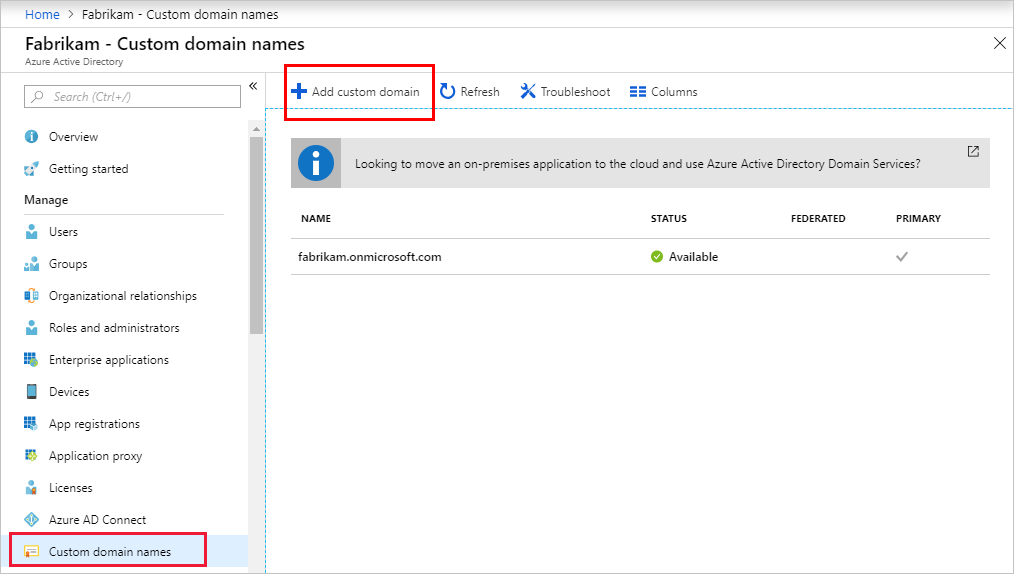
Search for and select Azure Active Directory from any page. Then select Custom domain names > Add custom domain.
-
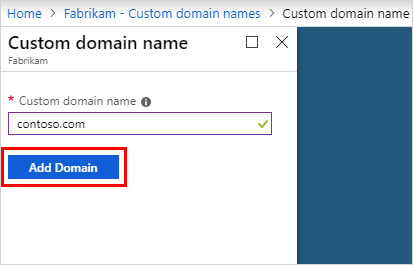
In Custom domain name, enter your organization's new name, in this example, contoso.com. Select Add domain.
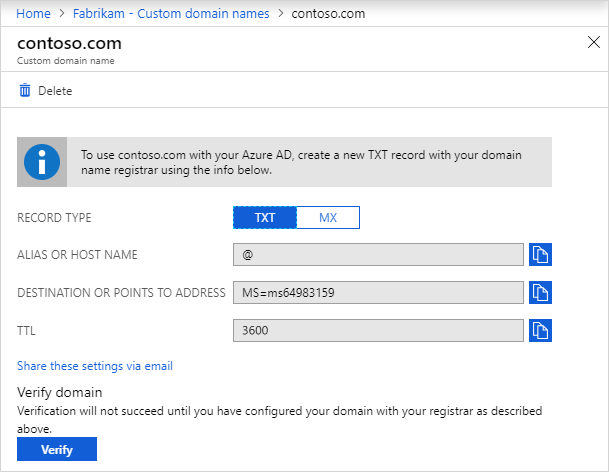
The unverified domain is added. The contoso.com page appears showing your DNS information. Save this information. You need it later to create a TXT record to configure DNS.